Barbershop Cash Flow Management Software: Build a Budget You Can Stick To

Why Most Barbershop Budgets Fall Apart Before October
Autumn is when the gap between a summer revenue high and a slower fall reality becomes impossible to ignore. Chairs that were packed through July start opening up, and owners who were running on instinct through the busy season suddenly realize they have no reliable picture of what their shop actually earns week to week — or what it costs to run it.
The root problem is almost never laziness. It is that most shop owners track money reactively: they look at what came in after the fact, pay the bills that are due, and hope the remainder covers payroll. Good barbershop cash flow management software changes that loop by making the data you are already generating — every booked appointment, every payment processed, every membership collected — visible and actionable in real time.
VuriumBook sits at the intersection of scheduling, client records, and payments, which means everything you need to build a real budget already flows through one place. This guide shows you how to pull it together.
Step 1: Understand What Your Payments Data Is Already Telling You
Every time a client pays through VuriumBook, that transaction is tied to a barber, a service, a date, and a client record. Individually those data points are just receipts. Assembled across a week or a month, they answer the questions a budget actually needs:
- What did the shop earn each day, and which days consistently underperform?
- Which barbers are driving the most revenue, and which have capacity to fill?
- What is the average ticket per client, and is it trending up or down?
- How much revenue came from one-time payments versus recurring sources?
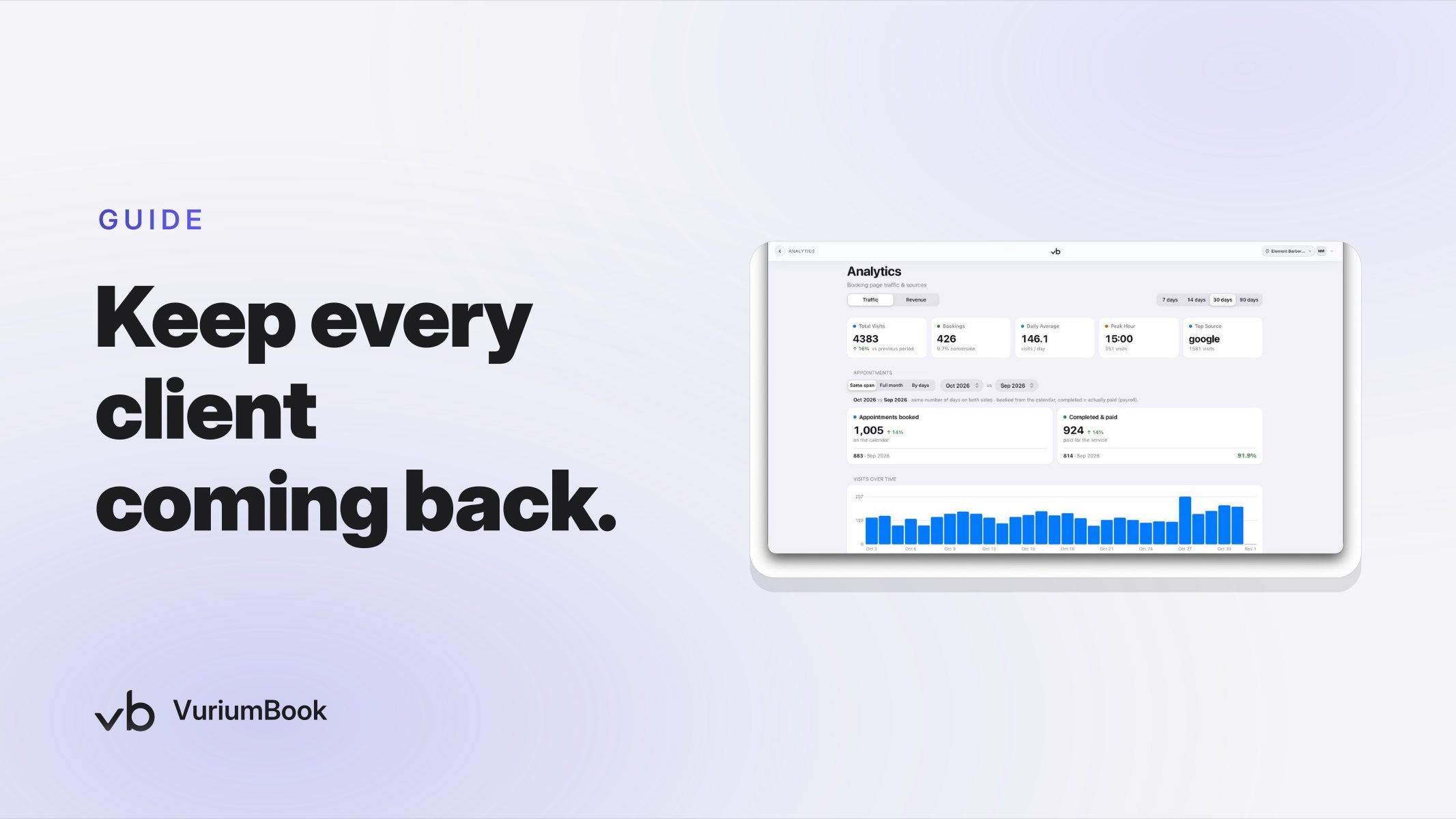
Most barbershop owners can answer the first question instinctively. Few can answer the last three without digging through scattered records. VuriumBook's analytics surface that breakdown automatically, so you are not building a budget from memory — you are building it from your actual transaction history.
If you have not yet explored how your service revenue breaks down by category, the guide on identifying your highest-performing barbershop services is a strong starting point before you build a forward-looking budget.
Step 2: Separate Predictable Revenue from Variable Revenue
A workable budget has two lanes: money you can count on and money that fluctuates. Lumping them together is what makes budgets feel arbitrary and why owners abandon them by the second month.
Predictable revenue in a barbershop comes primarily from active memberships. A client on a monthly plan pays the same amount on the same day every billing cycle regardless of whether they show up. That revenue does not depend on the weather, a holiday weekend, or how aggressive your front-desk staff is at rebooking. According to the Zenoti 2026 Benchmark Report, barbershop membership sales grew significantly year over year while new guest traffic declined — which means the shops with a strong membership base are the ones with a revenue floor when walk-in traffic softens.
VuriumBook tracks active memberships and the recurring payments they generate. Pull that number first. It is the most reliable line in your budget, and you should know it before you estimate anything else.
Variable revenue covers everything else: individual appointments, gift card redemptions, and any add-on services. This is where seasonality, no-shows, and barber availability create swings. Your payments history across the last several weeks gives you a realistic range — not a single number, but a low end and a high end — so your budget reflects how the shop actually behaves rather than how you wish it would.
Predictable vs. Variable Barbershop Revenue
Predictable Revenue
- •Membership billing cycles
- •same amount every period
- •easy to budget against
- •builds a revenue floor
Variable Revenue
- •Individual appointment payments
- •fluctuates with traffic and season
- •plan for a realistic range
- •dependent on capacity and no-show rate
Step 3: Connect Client Records to Revenue Patterns
Payment totals tell you what came in. Client records tell you why — and more importantly, they help you forecast what is likely to come in over the next four to six weeks.
Here is how to use them together for planning purposes:
- Identify your high-frequency clients. Clients who visit every two to three weeks are a more reliable revenue source than those who visit twice a year. VuriumBook's client records show visit history, which lets you recognize who your regulars actually are and roughly when they are due to return. If a cluster of regulars is overdue, that is a signal your near-term revenue may dip — and a reason to run a targeted outreach before it does.
- Flag clients who have lapsed. A client who used to visit monthly but has not booked in eight weeks represents lost recurring revenue. Knowing that number helps you judge whether a soft week is seasonal noise or an actual retention problem — a distinction that matters a great deal for planning expenses.
- Track per-barber client retention. If one barber has a significantly lower rebooking rate, their column in your revenue forecast should reflect a wider range of uncertainty. VuriumBook ties client records to individual barbers, so you can see this at a glance rather than discovering it after payroll is already committed.
Step 4: Build Per-Barber Revenue Lines Into the Budget
Most barbershop budgets treat revenue as a single shop-wide number. That approach hides a problem: one barber can be fully booked while another is running at half capacity, and the blended average makes the shop look healthier than it is.
Because VuriumBook links every payment to the barber who performed the service, you can build a budget with individual revenue lines — one per chair. Each line shows what that barber actually produced over recent weeks, which gives you a much more honest forecast than dividing total revenue by the number of staff.
Per-barber revenue lines also make staffing decisions concrete. If a barber's line is consistently lower than their chair cost — booth rent, commission draw, or hourly rate — that is visible in the budget rather than hidden in the overall numbers. Conversely, if a barber is consistently near capacity, that same view shows you when adding hours or a second barber becomes a revenue opportunity rather than a cost.
VuriumBook's payroll and commission tools work from the same payment data, so the numbers you use for barbershop revenue forecasting and the numbers you use to calculate pay are never out of sync. That consistency is what prevents the end-of-month surprises that derail otherwise reasonable budgets.
Building a Per-Barber Revenue Forecast
Step 5: Use Cash Flow Timing, Not Just Monthly Totals
A monthly revenue total is useful for tracking trends. It is not useful for managing cash flow, because bills do not arrive evenly distributed across the month. Rent, supply orders, and payroll cycles create specific pressure points — and if your revenue recognition is lumpy in the opposite direction, you can have a profitable month on paper and still come up short on a particular Thursday.
To use VuriumBook for week-level cash flow planning:
- Look at your payments by week rather than by month. Identify which weeks of the month historically run heavier and which run lighter.
- Map your fixed outflows — rent, subscriptions, payroll runs — against those weekly patterns. Weeks where revenue tends to be light should not also be weeks where large bills are due if you have any flexibility in timing.
- Treat membership billing dates as confirmed income for that specific week. Because membership payments process automatically through VuriumBook, you know in advance when that revenue will land.
- Build a minimum threshold: the weekly revenue number below which the shop cannot cover operating costs. When your current week's payments tracking falls toward that number midweek, you have time to act — fill open slots from the waitlist, push an outreach to lapsed clients — rather than discovering the shortfall after the fact.
This is what separates reactive money management from genuine small business cash flow planning for a barbershop: using the data you already have, earlier in the week, so you still have options.
Step 6: Review and Adjust the Budget on a Regular Cycle
A budget that is set once and never revisited is not a financial tool — it is a wish list. The value of having your payment data and client records in one platform is that a weekly review takes minutes rather than hours.
A practical rhythm for most shop owners:
- Weekly (five minutes): Check total payments for the week against your expected range. Note whether membership revenue processed as expected. Flag any barber whose output was significantly below their recent average.
- Monthly (thirty minutes): Compare actual revenue against your forecast range. Look at whether active membership count grew, held steady, or declined — this is your most important leading indicator for the following month. Adjust per-barber lines if someone's capacity or booking rate changed materially.
- Seasonally (one hour): Autumn and early winter have their own rhythm for barbershops. Back-to-school demand fades, holiday gift card sales pick up, and weather affects walk-in traffic. Pull your payments history from the same period last year if you have it, and build a range that reflects the season rather than the summer peak.
VuriumBook's analytics give you the underlying data for each of these reviews. The review itself — the interpretation and the decisions — still requires your judgment. But your judgment is much more reliable when it is grounded in actual numbers rather than impressions.
What a Budgeting-Ready Setup Looks Like in VuriumBook
You do not need to build anything complicated. The capabilities that make this work — payments, client records, memberships, payroll, and analytics — are already part of the platform. Getting to a budget you can actually use is mostly a matter of using them together intentionally rather than as separate tools.
If your client records are not yet complete, start there. A client record with visit history and service notes is the foundation of both revenue forecasting and retention work. For a practical approach to building that foundation, see how to use VuriumBook's analytics dashboard to catch revenue dips early — it covers the same data layer from a different angle.
Once your records are solid and your membership billing is running, the weekly cash flow picture largely builds itself. Your job shifts from scrambling to find the numbers to deciding what to do with them.
If you are not yet using VuriumBook, you can start a free trial and connect your payments, client records, and scheduling in one place. For a full look at what is included, the VuriumBook plans and features page breaks down everything available at each tier.
The Honest Summary
Building a barbershop budget you will actually follow is not about spreadsheet discipline. It is about having clean, current data at the right level of detail — by barber, by week, and split between predictable and variable income. VuriumBook's combination of barbershop payment tracking software and client records gives you that data without extra work, because it is a byproduct of running the shop the way you already run it. The budget becomes something you read and act on rather than something you build once and ignore.
That shift — from reactive to proactive — is what keeps a shop financially stable through the slower seasons and positioned to grow when demand picks back up.